



LMS implementation checklist: How we roll out the Academy Smart LMS in 4–6 weeks
When choosing an LMS, companies assume they have two options: SaaS or a custom-built platform. Each has its trade-offs. But what if you could get SaaS’s low upfront cost with the flexibility of a custom solution? That’s the idea behind our white-label Starter LMS.
Starter LMS gives you a ready-made foundation with all the core features in place, plus custom functionality tailored to your workflows. In 4–6 weeks, you get a customized, live LMS that costs a fraction of a fully custom build and is entirely yours, with no ongoing SaaS fees.
At Academy Smart, we’ve spent over 16 years building custom LMS platforms. We developed Starter LMS for companies that need a platform tailored to their business and deployed on their own infrastructure, without building everything from scratch.
In this implementation guide, we’ll walk you through each phase of the Starter LMS rollout, from initial setup to launch, and explain how we can develop custom features around your company’s needs. The entire process typically takes 4–6 weeks.
TL;DR
• Starter LMS is a third option between SaaS and custom. You get a ready, white-label LMS deployed on your own infrastructure, with no per-seat fees.
• Rollout takes 4–6 weeks after Discovery, covering infrastructure setup, configuration, migration, testing, and go-live.
• Discovery is the most important phase. We sort every requirement into what’s already in Starter LMS, what needs configuration, and what needs custom development, so you never pay to rebuild existing features.
• Custom features and integrations (HR, CRM, SSO, payments, Power BI) are scoped and priced separately. They’re built in parallel with the rollout or after launch.
• Starter LMS costs $17K one-time or $500/month. To compare, at 1,000 users and $4 per seat, a SaaS platform costs $144,000 over three years.
• After launch, you can run it in-house or take the optional support retainer. Either way, the roadmap fully belongs to you.
How the Starter LMS differs from a SaaS rollout
If you’ve ever asked an LMS vendor for a feature your team needs, you probably know the usual answer: it’s been added to the roadmap, and they’ll keep you posted.
That’s how SaaS works. The vendor has to prioritize requests from all its customers, so a feature that matters a lot to your business might not make the cut anytime soon.
At Academy Smart, we take a different approach. If the Starter LMS doesn’t cover one of your requirements, we build it ourselves. You don’t have to wait for a vendor to decide it’s worth developing.
Here’s what that means:
- You get our own LMS, not a third-party product. It’s multi-tenant, white-label, and supports SCORM, xAPI, and AICC out of the box. There are no per-seat fees.
- You run it on your own infrastructure. Instead of renting access to a vendor-hosted product, you run the platform in your own environment and plan its development around your business.
- We can build the features you’re missing. If the standard functionality doesn’t cover your needs, our developers extend it.
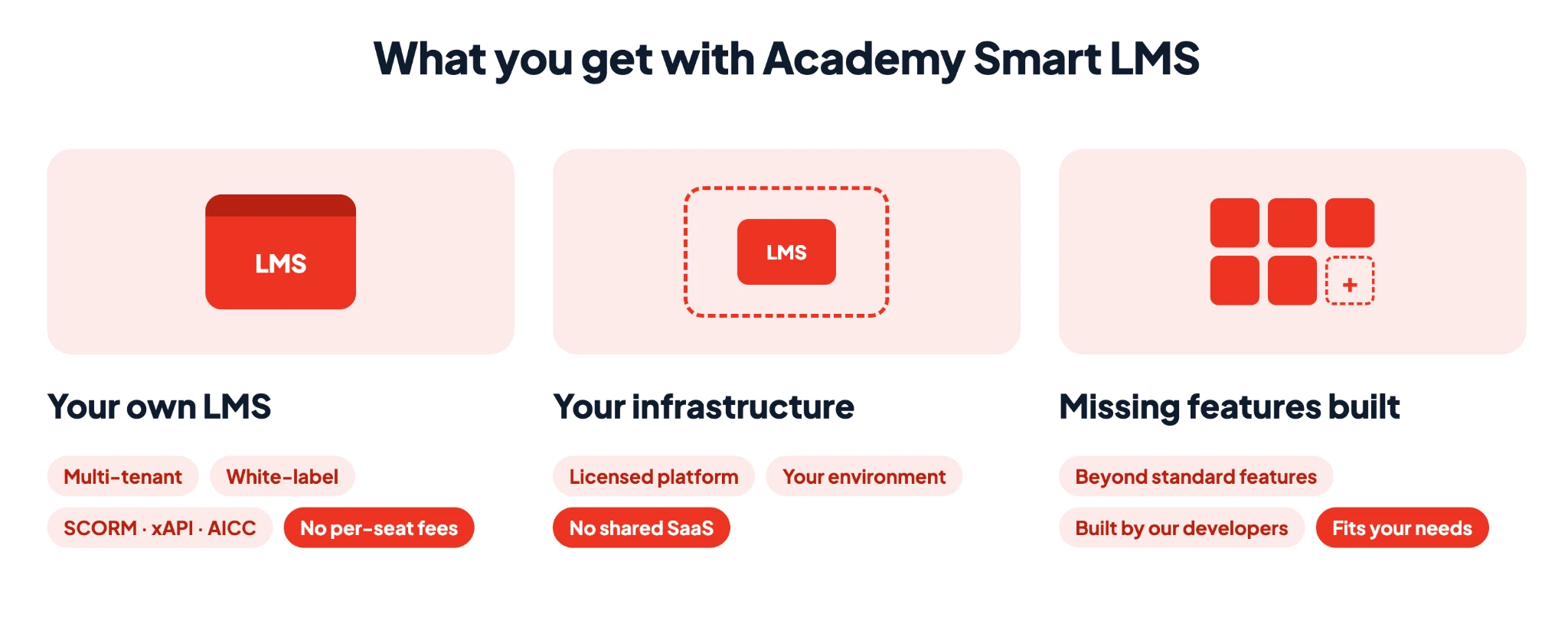
The idea is simple: start with a platform that already covers the basics, then build only what your business needs.
How we implement the Starter LMS in 4–6 weeks
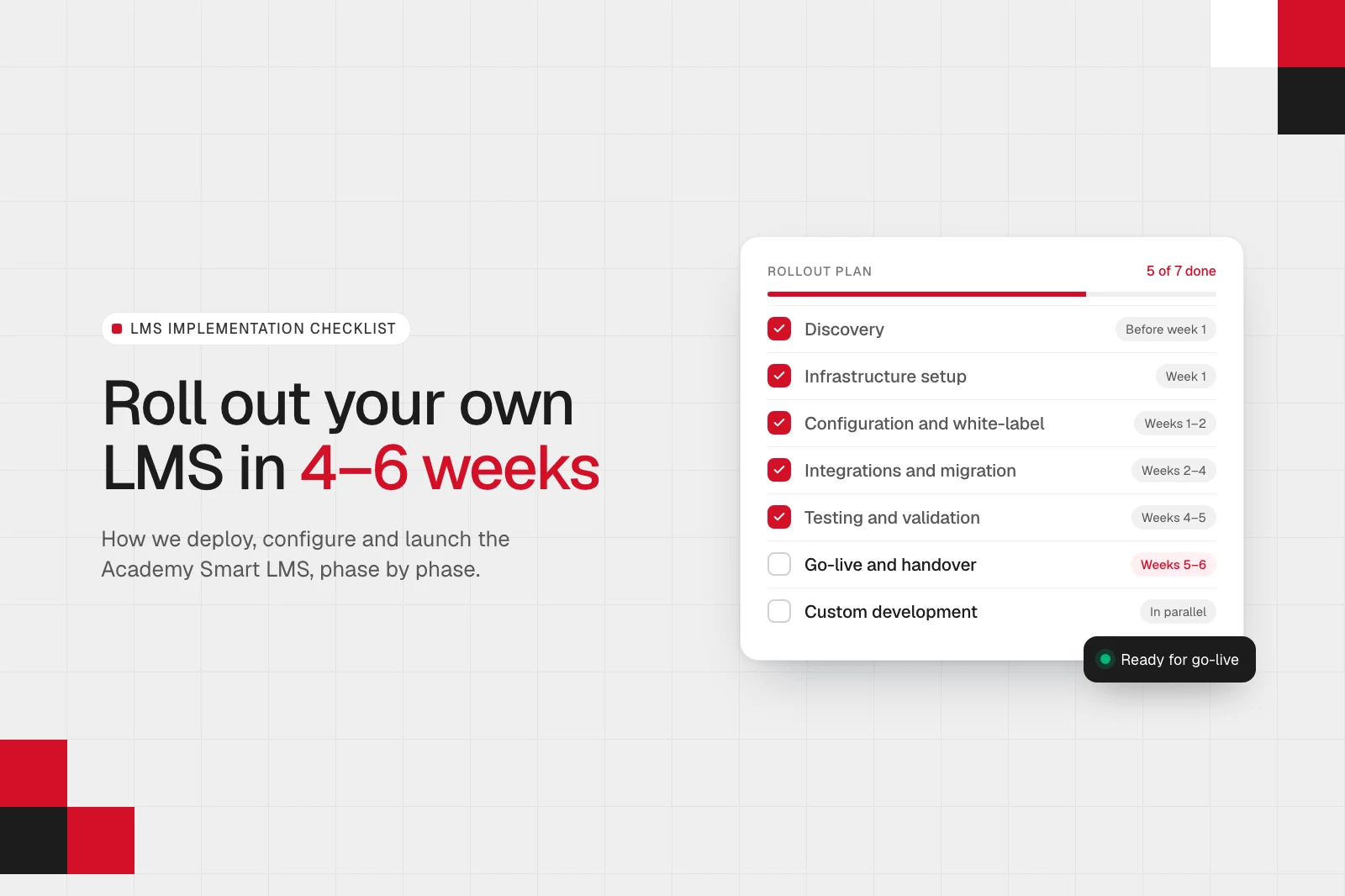
We start by figuring out what you need from the LMS, then work through setup, configuration, content migration, and testing before launch. Some tasks run in parallel, so the timeline depends on your requirements, existing systems, and the amount of customization involved.
Here’s how we typically break down the work:
| Phase | Key activities | Typical timeline |
|---|---|---|
| Phase 1: Discovery | Map requirements, assess Starter LMS features, and define scope, timeline, and price. | Before week 1 |
| Phase 2: Infrastructure setup | Deploy Starter LMS on your infrastructure. | Week 1 |
| Phase 3: Configuration and white-label setup | Configure branding, client environments, roles, and learning workflows. | Weeks 1–2 |
| Phase 4: Custom development | Build features beyond standard LMS functionality. | In parallel or after launch |
| Phase 5: Integrations and migration | Connect external systems and transfer content and user data. | Weeks 2–4 |
| Phase 6: Testing and validation | Test functionality, integrations, and custom features. | Weeks 4–5 |
| Phase 7: Go-live and handover | Train administrators, launch the LMS, and monitor initial performance. | Weeks 5–6 |
Let’s look at each phase in more detail.
Phase 1: Discovery
Typical timeline: Before week 1
During discovery, we learn how your business delivers training, who your clients and learners are, and how your company is structured. We review your learning workflows, existing content and data, infrastructure, and required integrations. Most importantly, we identify what your current systems can’t do and compare your requirements with Starter LMS’s existing features to determine what we can configure out of the box and what requires custom development.
Starter LMS comes with a production-ready foundation that includes:
- Multi-tenant architecture for managing multiple client organizations.
- White-label branding, including your logo, colors, and domain.
- SCORM, xAPI, and AICC content support.
- Learning path creation and automated certification capabilities.
- Role-based access control and role-specific dashboards.
- Bulk user and course uploads.
- Reporting and learner tracking.
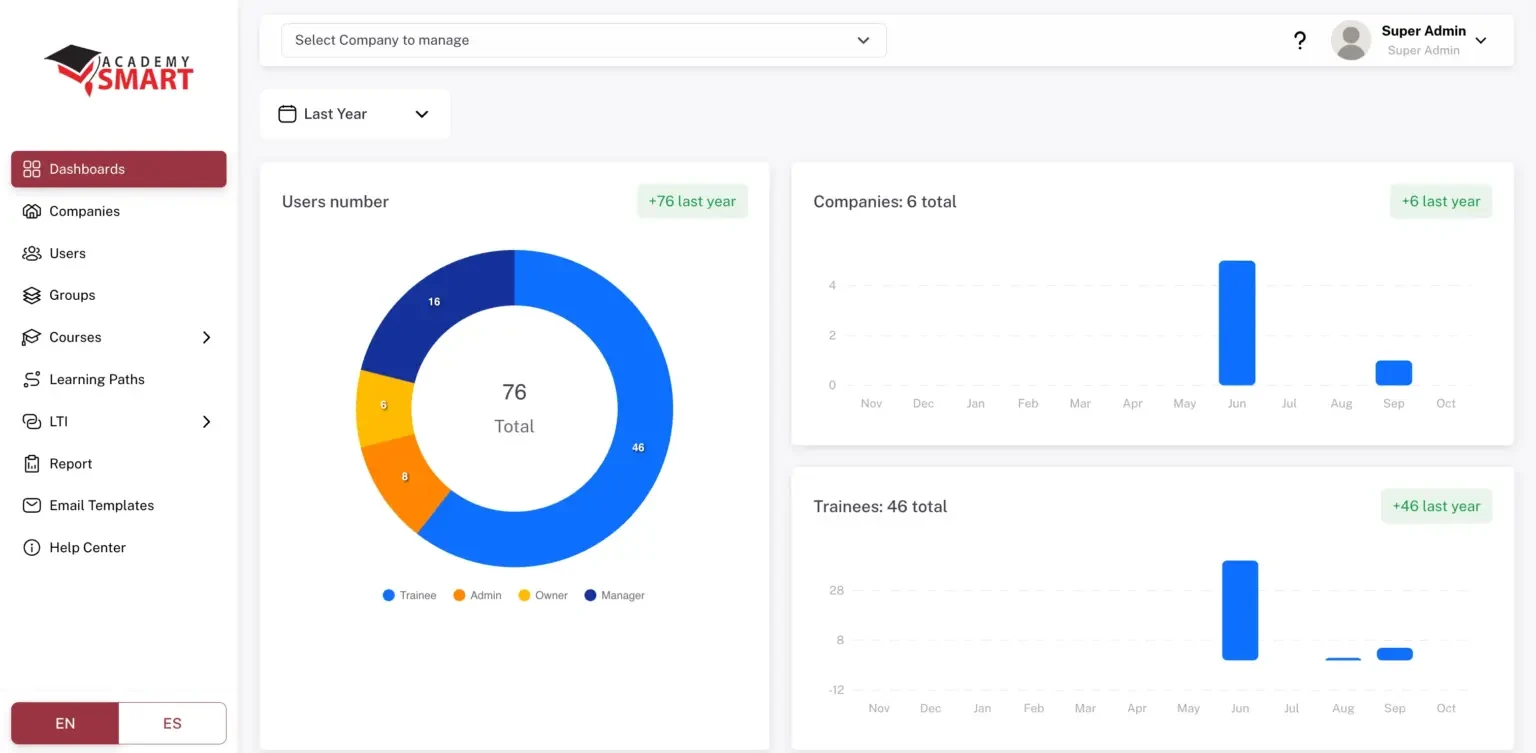
Note: You can explore the full feature set on our Starter LMS product page.
Then we map each requirement to one of three categories:
- Already in Starter LMS. The functionality is available out of the box.
- Needs configuration. The functionality exists, but we need to set it up for your company.
- Needs custom development. The requirement falls outside the standard platform and needs additional work.
This distinction matters because we don’t want you paying to rebuild features that already exist.
This is where we establish the scope. You’ll know what’s included in the Starter rollout, what requires additional development, and what each part will cost.
What you get: An agreed implementation scope, a fixed price for the Starter rollout, and a plan for any custom development.
Phase 2: Infrastructure setup
Typical timeline: Week 1
We deploy Starter LMS on your infrastructure, giving you control over the platform and its hosting environment.
This is an important difference from a typical SaaS LMS. Instead of renting access to a vendor-hosted product, you own your deployed platform and can plan its future development around your business needs.
During this phase, we prepare the environment and complete the deployment work. This includes:
- Preparing the deployment environment and required configuration.
- Setting up the application and its dependencies.
- Configuring the relevant domain and environment settings.
- Checking that the platform is operational and ready for the next implementation steps.
The exact hosting arrangements and responsibilities are agreed as part of the project scope.
What you get: A Starter LMS deployment on your infrastructure, ready for final configuration, integration, and validation.
Phase 3: Configuration and white-label setup
Typical timeline: Weeks 1–2
Once we agree on the scope, we configure Starter LMS to fit your business.
This includes:
- Branding. Your logo, colors, domain, and other agreed visual elements.
- Client organizations. The structure you need to manage multiple organizations within one platform.
- User roles and permissions. Access rules for administrators, managers, and learners.
- Learning workflows. Available functionality for assigning courses, organizing learning paths, and tracking progress.
- Platform settings. Configuration aligned with your operational requirements.
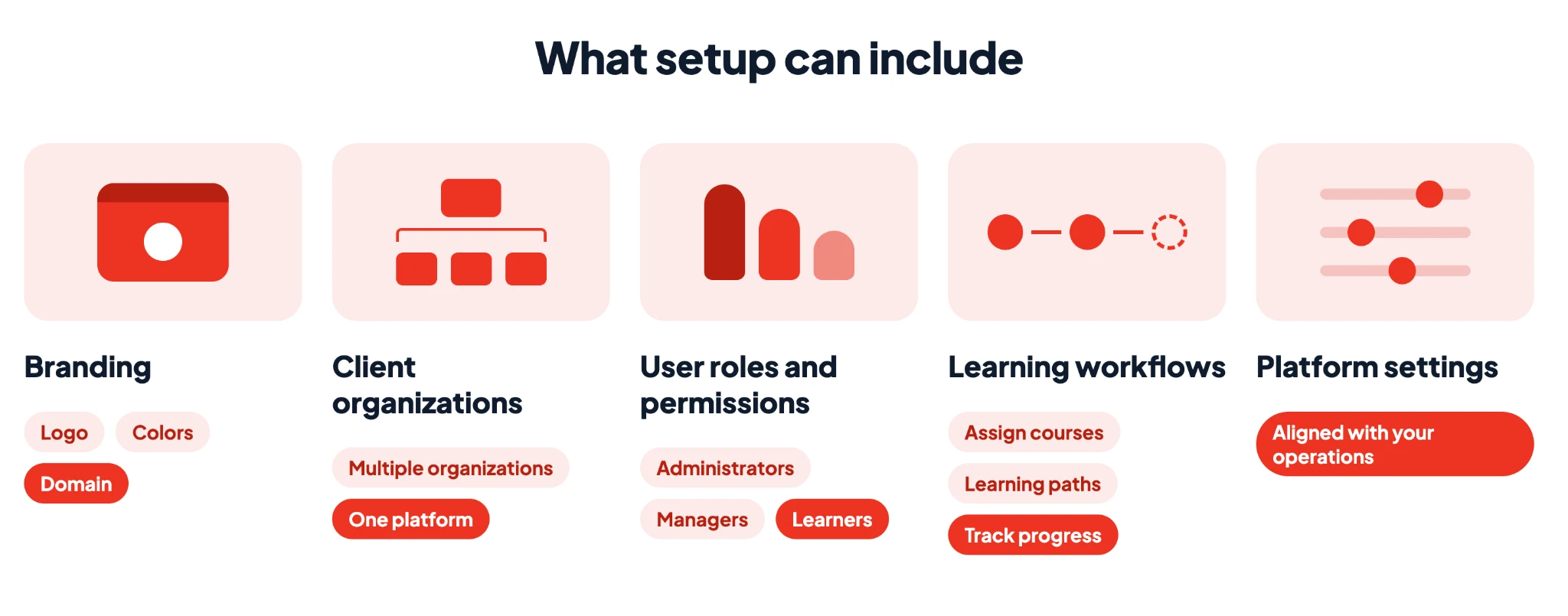
For example, a training provider serving several corporate clients needs one central platform where each client has its own branding, users, and learning activities. We can configure the platform around that operating model.
What you get: A branded LMS configured around your workflows, company structure, and user roles.
Phase 4: Custom development
In parallel or after launch
SaaS platforms don’t let you change the underlying workflows, access logic, or integrations you need. With Academy Smart, you’re not limited to the features a vendor chooses to offer.
We use Starter LMS as the foundation and develop additional functionality where the discovery process identifies a genuine gap.
How we approach custom requirements
- Define the requirement. We clarify the business problem, who it affects, and what the new functionality needs to achieve.
- Scope the solution. We define the technical approach, dependencies, cost, and delivery timeline.
- Develop the feature. Our team builds the functionality on top of the existing foundation.
- Test the result. We validate the new functionality against the requirements and check how it works with the rest of the platform.
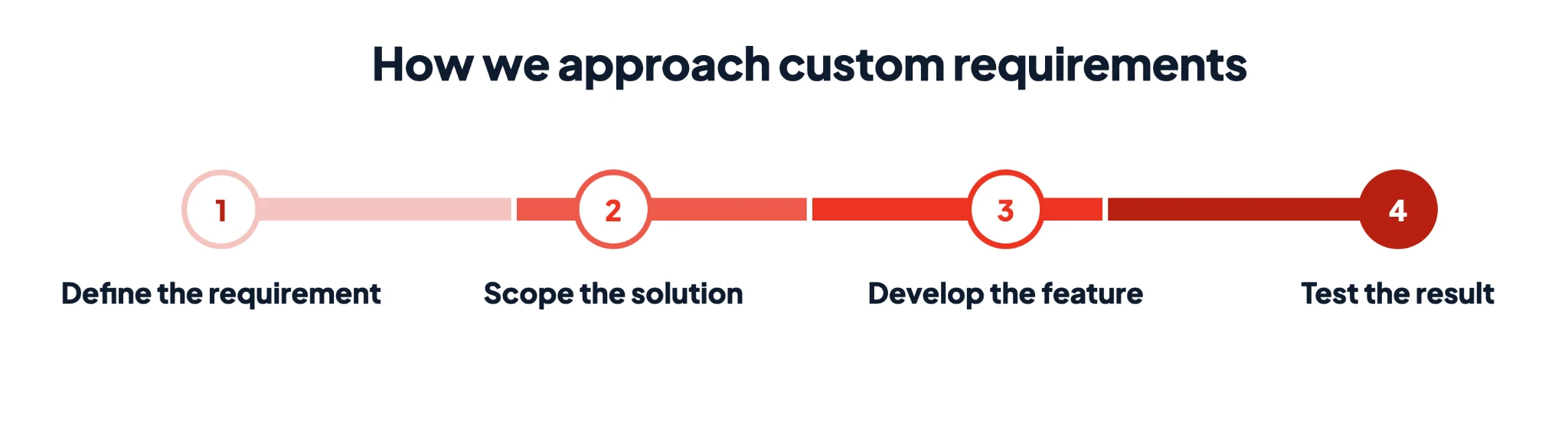
Depending on the project, custom development can happen alongside the standard implementation or as a separate stage after launch.
For example, you might start with Starter LMS’s existing multi-tenant architecture, white-label branding, and learning paths, then add a specialized approval workflow or a custom integration with your internal systems.
If you already know that your requirements go significantly beyond the standard Starter LMS functionality, read more about our custom LMS development services.
What you get: Additional functionality built around your business requirements, without having to develop the entire LMS from scratch.
Phase 5: Integrations and migration
Typical timeline: Weeks 2–4
Starter LMS includes the core functionality you need to run a learning platform, along with built-in LTI support. If you need to connect it to other systems or support workflows beyond the standard feature set, we can extend the solution with custom integrations and development.
We build integrations with:
- HR systems to sync employee records and organizational changes.
- CRM platforms to exchange client and customer data.
- SSO providers to let learners sign in with their existing accounts.
- Payment systems if you sell training.
- Reporting tools, such as Power BI, to make learning data available for analysis.
For each additional integration, we agree on the data to exchange, how fields map, and how updates are handled between systems.
Content and user migration
Starter LMS supports SCORM, xAPI, and AICC content, as well as bulk user and course uploads. During implementation, we configure these capabilities for your setup and help transfer the content and data.
This can include:
- Users and organizations
- Courses
- Learning paths and assignments
- Completion history
We define the migration scope during Discovery, check transferred data against the source system, and identify any content that needs converting before upload.
What you get: Starter LMS configured with your content and users, plus any agreed integrations to fit your workflows.
Phase 6: Testing
Typical timeline: Weeks 4–5
Before launch, we validate the implementation against the requirements agreed during discovery.
We check that the platform works as expected, that the agreed custom features and integrations behave correctly, and that the user workflows are ready for use.
What we validate:
- User access and role permissions.
- Client organization structure and access separation.
- Course delivery and learning progress tracking.
- Configured learning paths and relevant reporting.
- Custom features and integrations included in the scope.
- Migrated data and content, where applicable.
We also prepare your team to manage the platform after launch. Handover covers routine administration, user management, course management, and reporting.
Once the required checks are complete and the launch criteria are met, we deploy the production setup and help you move into live operation.
What you get: A branded LMS deployed on your infrastructure, with your team prepared to manage it.
What happens after launch?
Once your LMS is live, you can manage it in-house or opt for our monthly support retainer, which covers updates, fixes, and ongoing feature development.
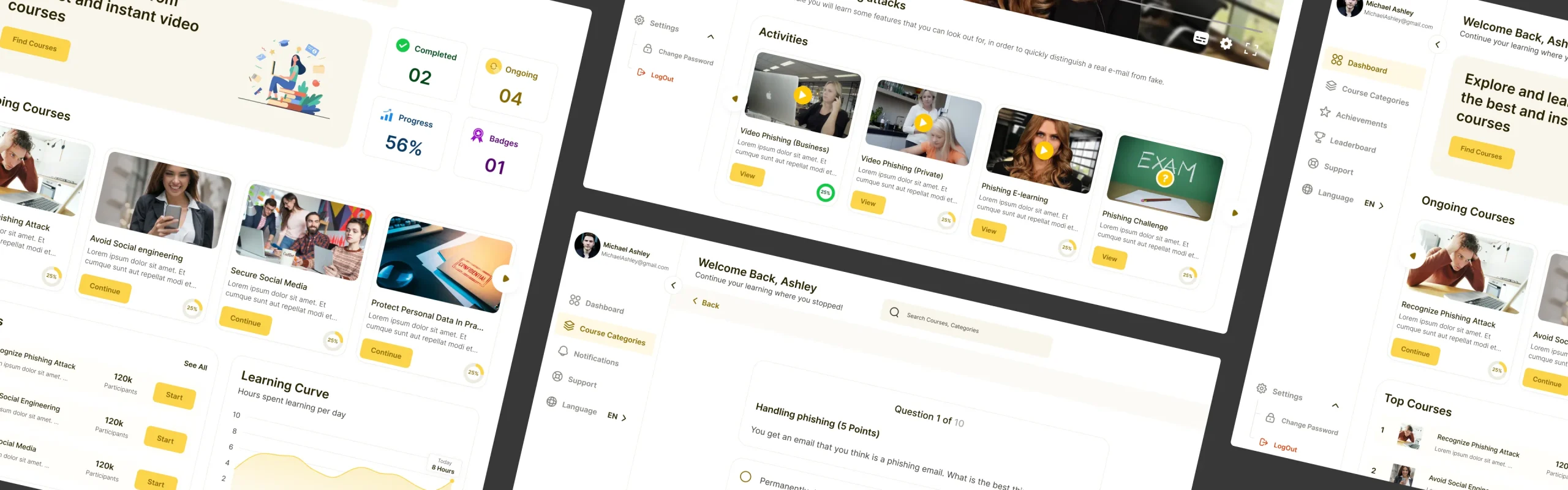
Starter LMS also gives each user role its own dashboard, so everyone can access the information they need:
- Super Admins can view users by role, manage client companies, and track trainee growth over time.
- Tenant admins can monitor team performance and generate reports.
- Managers can review individual learners’ progress.
- Trainees can track their courses and learning statistics.
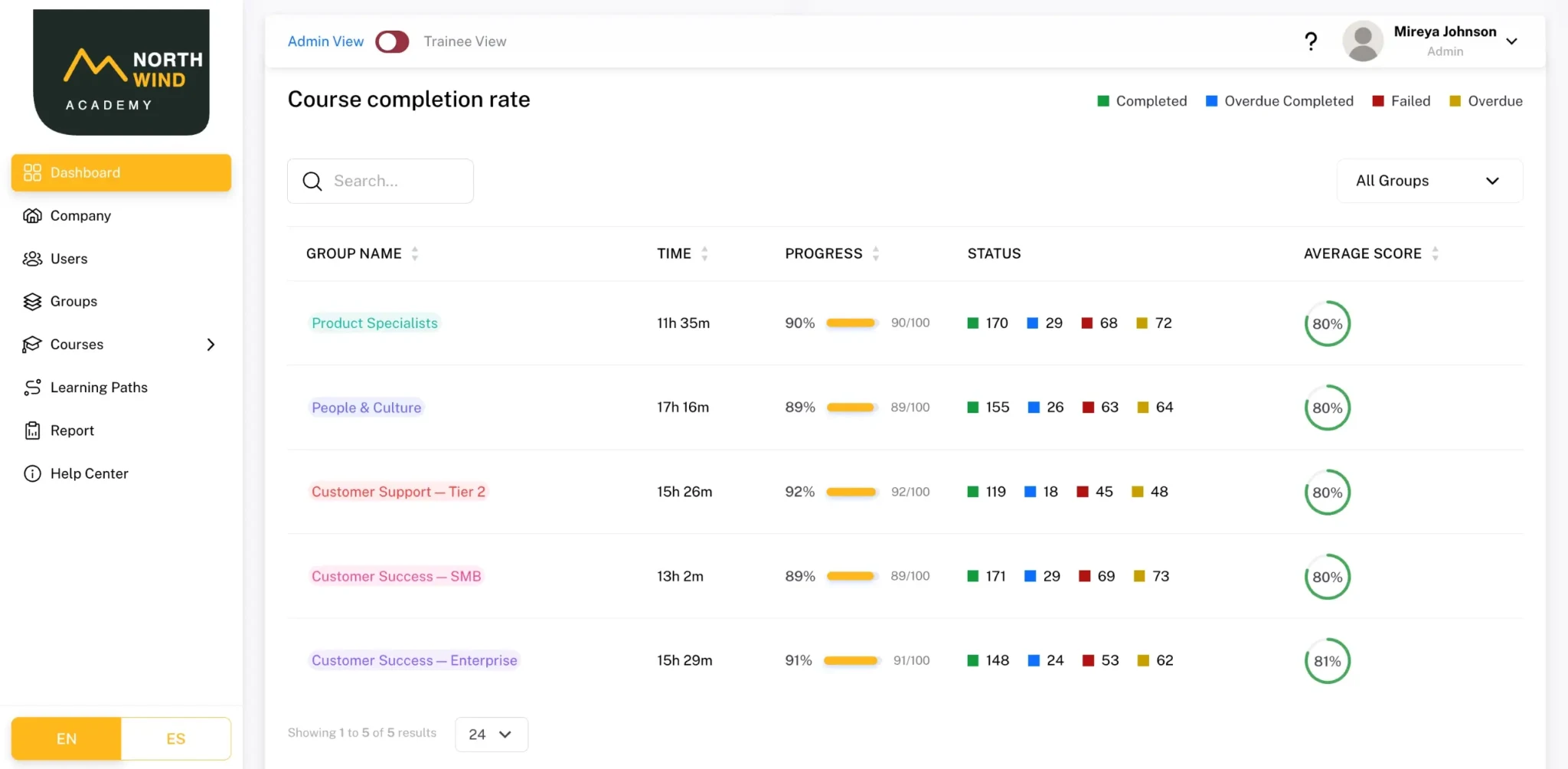
With the optional support retainer, the team that built your LMS handles updates and fixes. And when your business needs change, we promptly add new features.
That’s the advantage of having your own LMS: you decide how the platform evolves instead of waiting for a vendor.
How much does LMS implementation cost?
Academy Smart’s Starter LMS costs $17,000 as a one-time payment or $500 per month. After launch, you can manage the platform in-house or opt for a separate support retainer for ongoing updates, fixes, and improvements.
Additional integrations and custom features are priced separately from the Starter LMS cost. During the initial consultation, we’ll review your requirements and identify what the standard platform can handle through configuration and what would require additional development. You’ll know the full implementation cost before work begins.
Is Starter LMS cheaper than SaaS?
If you have a growing learner base, a one-time license costs less than a per-user subscription within months.
For example, at $4 per user per month, a platform serving 1,000 users costs $4,000 monthly, or $144,000 over three years. The $17,000 Starter LMS license is a difference of $127,000 before additional costs.
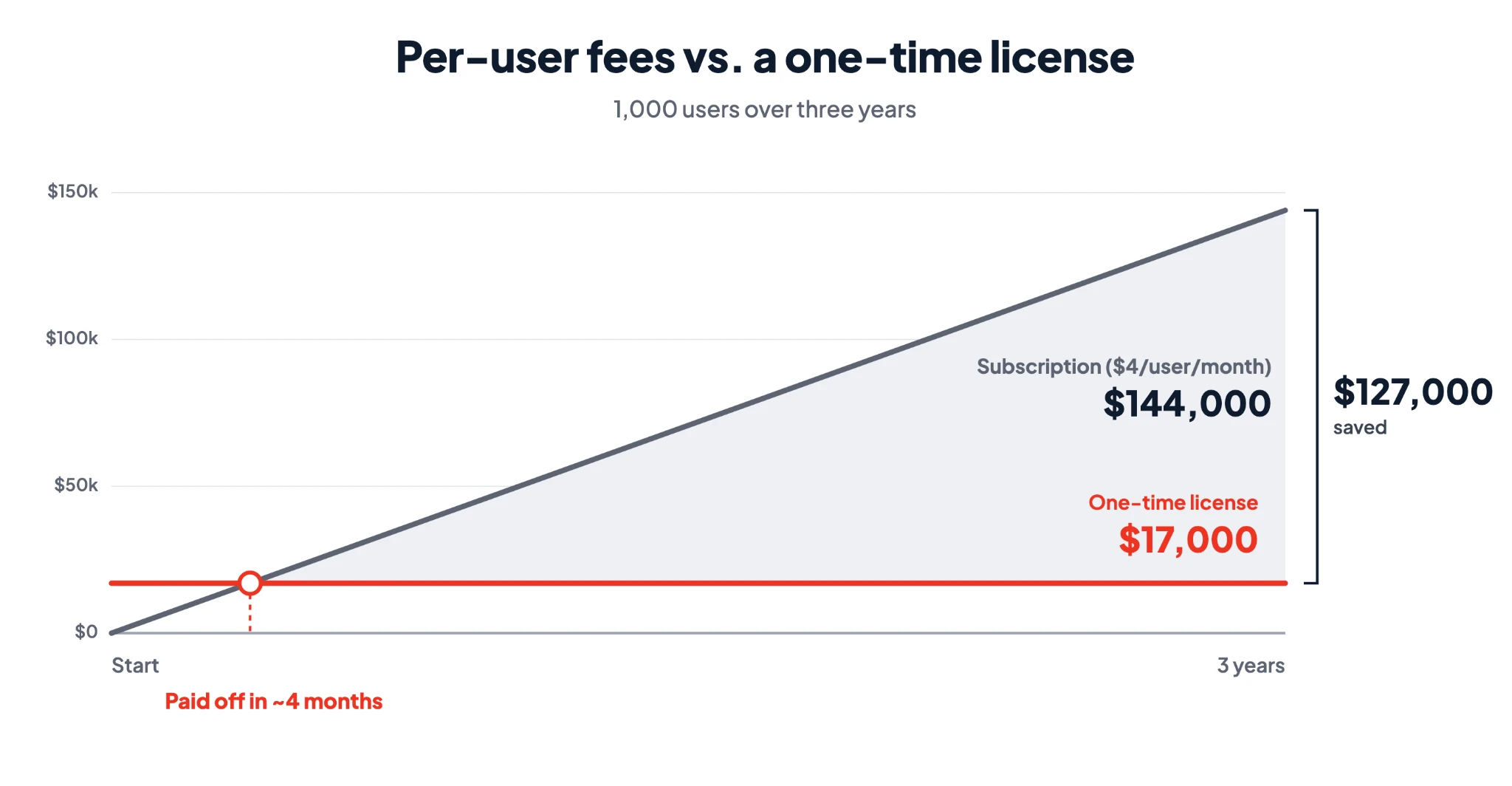
The license alone equals just over four months of those per-user fees. After that, the license cost has been covered, while the subscription fees continue.
Want to compare the numbers? Use our LMS cost calculator to estimate your five-year costs in about 3 minutes.
See if Starter LMS is what you need
Starter LMS gives you a production-ready foundation. We deploy it on your infrastructure, configure it around your workflows, and develop additional features where your requirements go beyond the standard functionality. You get the costs of a pre-built LMS without giving up the flexibility to build custom features.
Starter LMS was designed for you if…
- You deliver training to multiple clients or organizations.
- You need each client to have its own branded learning environment.
- You need custom workflows that standard SaaS platforms don’t support.
- Building an LMS from scratch would take too long.
- You’re running Moodle, and maintaining it is becoming unsustainable.
Book a Starter LMS demo to explore the platform, or schedule a free 30-minute consultation with our LMS expert. We’ll discuss your requirements and help define the implementation scope, timeline, and price.