



Top 6 enterprise features most LMSs don’t cover out of the box (and why)
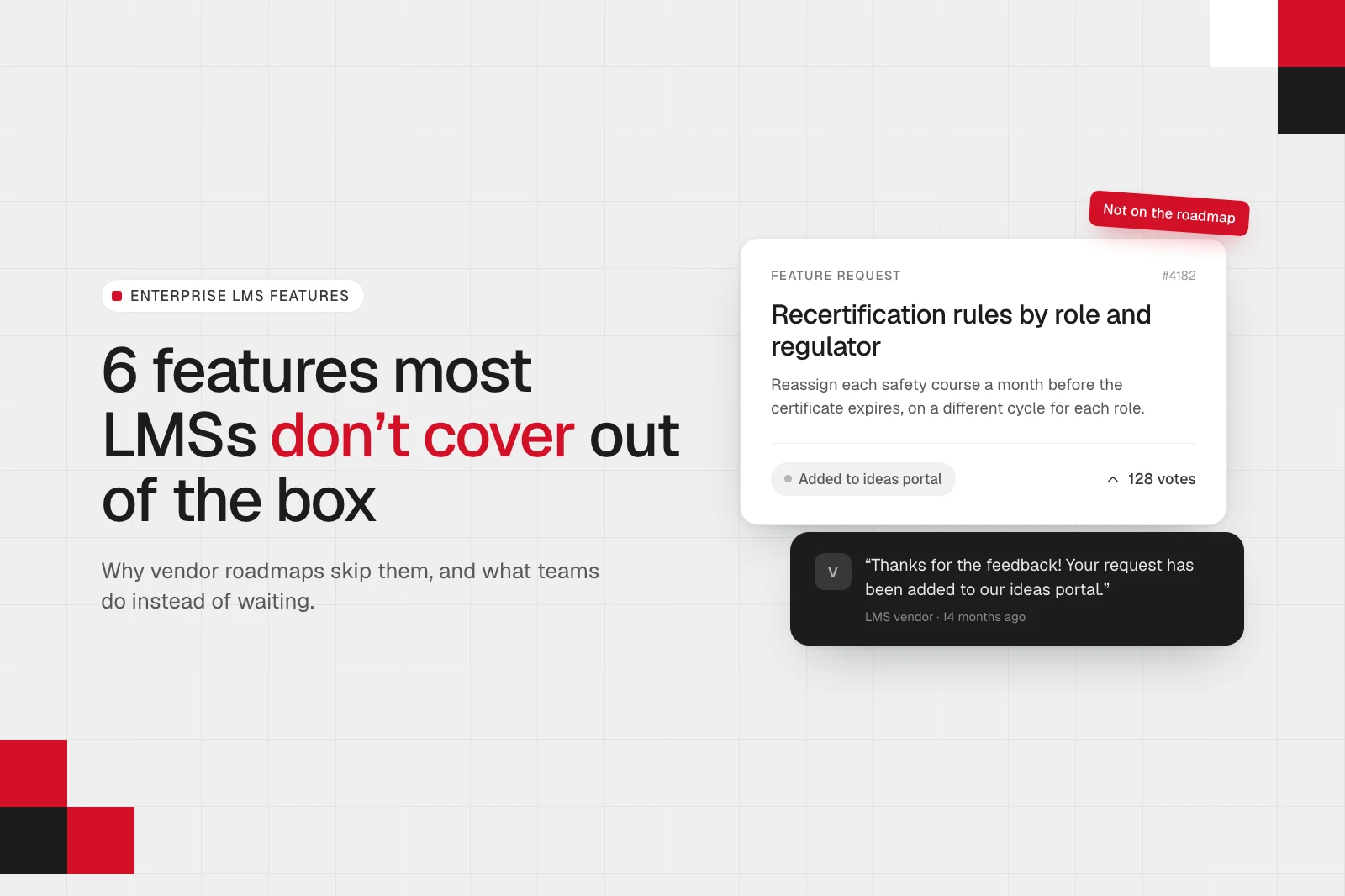
If you’ve ever asked your LMS vendor for a feature your team needs, most likely, you can guess the reply.
It thanks you for the feedback, and it says some version of “your request has been added to our ideas portal.” Then months go by, but nothing changes.
I have some good news and bad news about that. Good news is, your vendor isn’t ignoring you. And the bad news? They probably still won’t build it, and the reason has little to do with you or with how good the idea is.
In this article, I’ll explain why that happens, which enterprise features tend to run into this wall, and what teams do instead of waiting. (Spoiler: you can often get the feature you need without waiting for the vendor or switching platforms). At Academy Smart, we’ve been building LMS software since 2010, and most of the examples below come straight from our calls with L&D and compliance teams. So let’s get started, shall we?
TL;DR
• When you ask your LMS vendor for an enterprise feature, the answer is often a polite “not any time soon.” Vendors do read these requests, but their roadmaps are built for the average customer.
• We call this the SaaS Roadmap Conflict: When one product serves thousands of customers, features that only a handful of businesses need rarely get built.
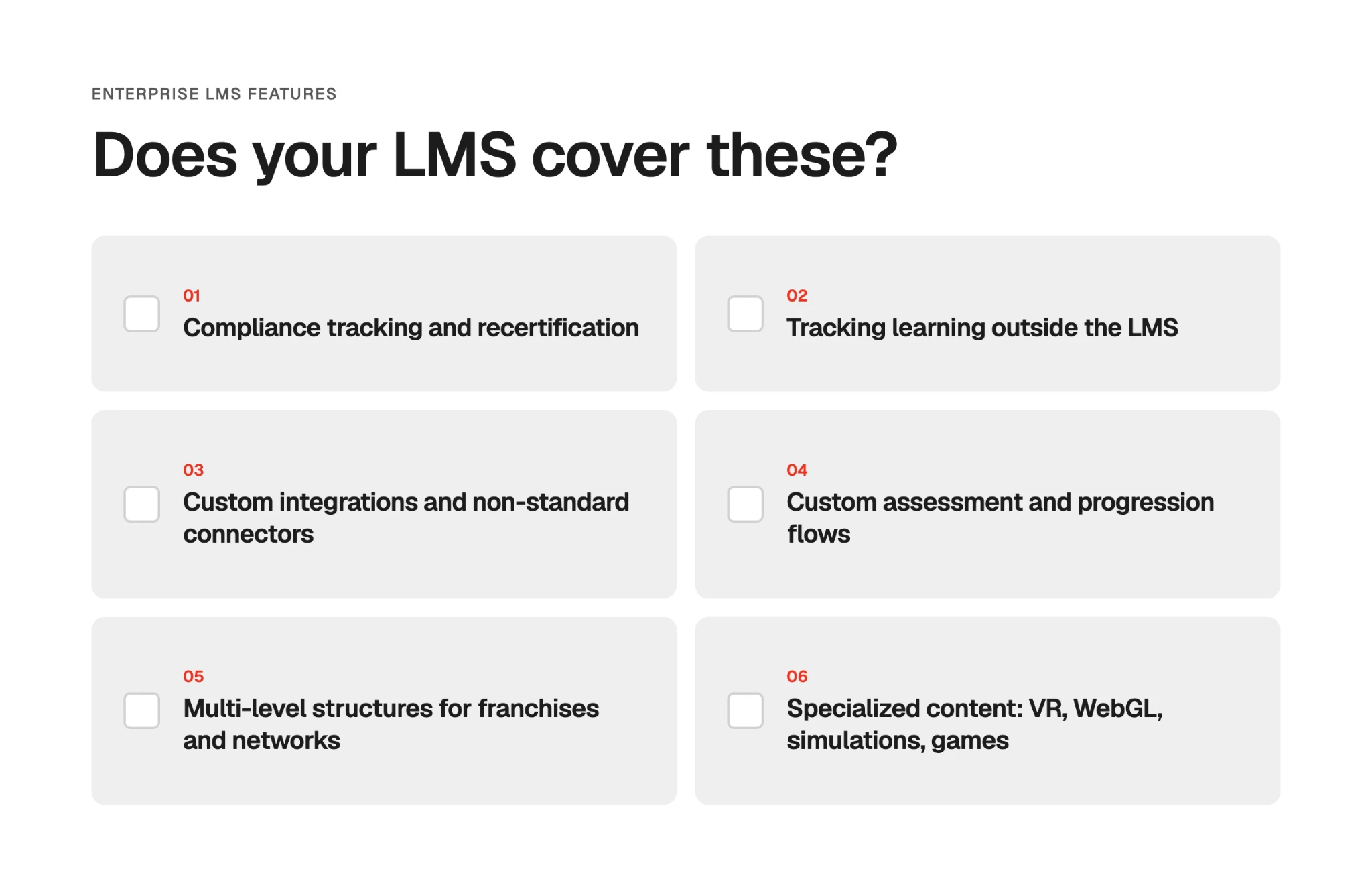
• On our discovery calls, we see six enterprise LMS features that run into it: compliance tracking and recertification, tracking learning outside the LMS, custom integrations, custom assessment flows, multi-level structures, and specialized content like VR.
• Most LMSs offer a basic version of each, but it rarely fits a business with its own rules or its own mix of systems.
• Some teams track things by hand or glue tools together. Others switch to another off-the-shelf LMS and find new gaps there.
• Another option is to extend the LMS you already have with the missing 20%. That’s how William Fry added CPD compliance to its LearnUpon portal in two months.
• If you’re not sure your LMS can be extended, our free LMS usability and tech audit shows which gaps can be fixed on top of it.
Why your feature request doesn’t make the roadmap
It’s easy to read a polite “we’ll keep you posted” or “feel free to upvote it in our community” as a brush-off. To be fair to LMS vendors, they do ship new features regularly. But a SaaS vendor has many customers on one platform, so it can only build what works for most of them at once. That’s why roadmaps fill up with features that work about the same for a law firm and a shipping company, like an AI course generator or a new reporting dashboard. Your request, shaped around how your business works, is the opposite of average. We call this the SaaS Roadmap Conflict.
The SaaS Roadmap Conflict is the clash between what your business needs from your LMS and what your vendor can afford to build. Every feature a SaaS vendor adds has to work, and be supported, for all of its customers. So it builds what most of them want, and requests specific to one business stay on the list.
6 enterprise LMS features that run into the SaaS Roadmap Conflict
Academy Smart builds and extends LMS software for enterprise teams, and the requests we hear often have one thing in common. Teams want the LMS to work the way their business works. For example, they want a safety course reassigned automatically a month before each worker’s certificate expires, on a different cycle for each role. That’s a fair ask, isn’t it? Yet, this request also runs into the SaaS Roadmap Conflict, because two companies rarely set those rules the same way.
Below are six types of features that come up in our work with clients. For each one, I’ll show what teams ask for and why most LMSs can’t cover it out of the box.
Compliance tracking and recertification
What teams ask for: Functionality that lets them follow specific compliance rules and renew training automatically. For example, a shipping company we spoke with renews certificates for its 4,000+ crew on different cycles: some every year, others every three or five years. It wants each course reassigned before the certificate lapses, without anyone tracking dates by hand. Another company, a UK manufacturer, answers to several safety bodies at once, and each has its own schedule for renewing staff licences. When bidding for contracts, the company needs evidence of its staff’s training and licences.
Why it’s hard to cover out of the box: Every regulated business answers to its own compliance rules. The rules differ based on the learner’s role and the body that regulates it. For example, a ship’s officer revalidates their STCW certificate every five years, while a first aider in the same company’s UK office renews their certificate every three.
A rules engine that covers every combination would be too complex for most customers to configure, so vendors ship a simple renewal cycle per course. But even that version can have gaps. One admin in Docebo’s community called its retraining feature “very deficient,” and others republish their compliance courses every year to work around it.
Tracking learning outside the LMS
What teams ask for: One record per person that includes everything they learn. Much of that learning happens outside the LMS, at conferences or on other providers’ webinars. Nonetheless, companies have to track it to meet regulators’ CPD requirements, and this is where we see many teams get stuck. We call it the CPD Visibility Gap: by our estimate, an LMS sees about 20% of a professional’s CPD activity, while the rest lives in shared folders and Slack threads, so pulling a complete record for a regulator can take weeks.
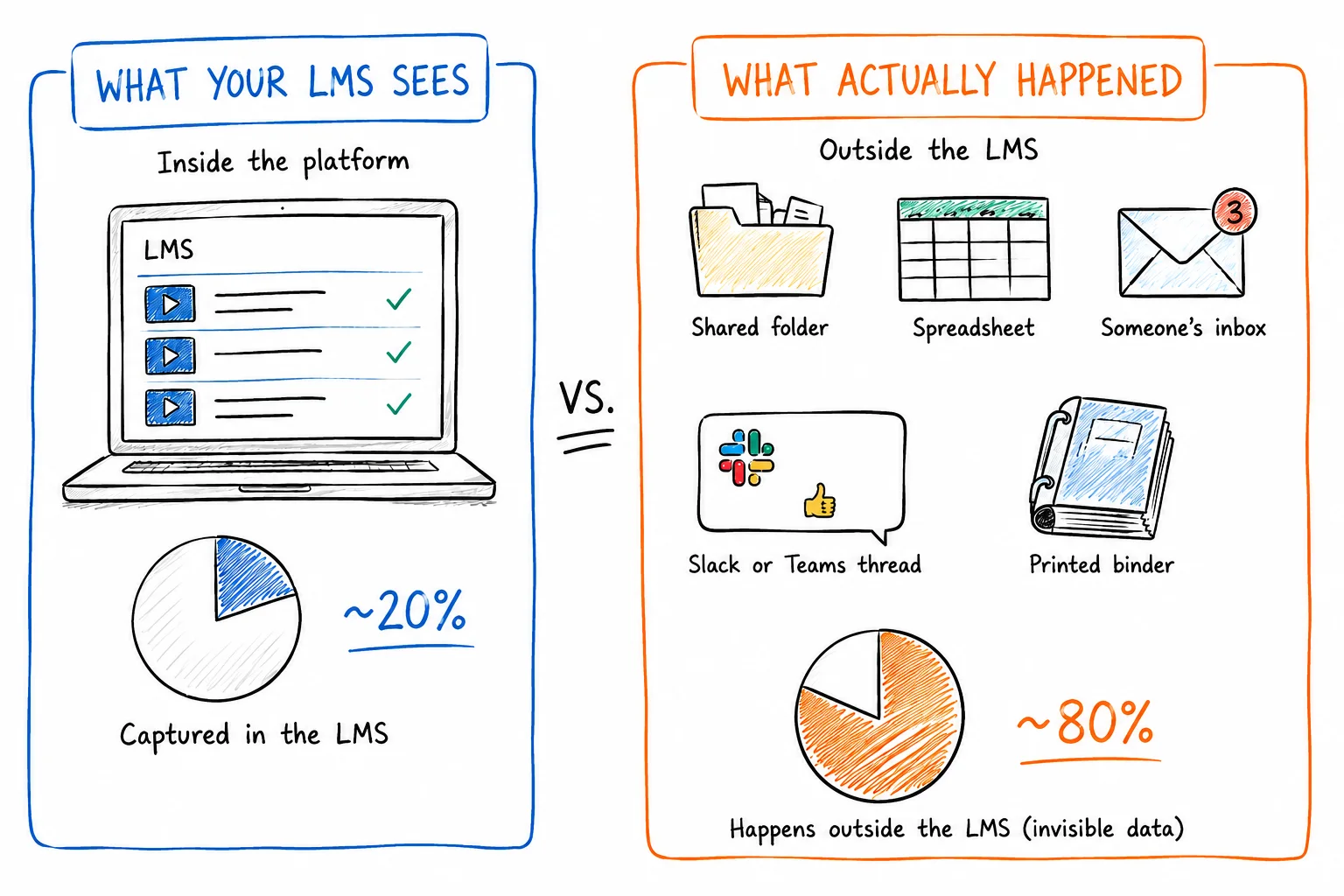
Take William Fry, one of Ireland’s leading corporate law firms. Their 600+ solicitors must complete 25 CPD hours a year, including from webinars, conferences, and self-funded courses. The firm used to track by hand. We built and connected a custom CPD compliance layer to its LearnUpon portal in two months, and external activities now count toward each solicitor’s 25 hours automatically.
Why it’s hard to cover out of the box: Logging external training is the easy part, and most LMSs offer it. LearnUpon has external training credits with admin approval, and Docebo has an External Training app. But counting that training toward each person’s requirement is harder, because the rules change with the regulator and the role. Irish solicitors, for example, need 25 CPD hours a year, while senior practitioners need only eight. At least five of those 25 hours must be group study attended in person, so a webinar watched live from your desk doesn’t count toward the group-study minimum.
| Rule | Requirement |
|---|---|
| Annual CPD hours | 25 (senior practitioners: 8) |
| Group study, attended in person | At least 5 hours |
| eLearning | Counts for up to 20 hours |
| Required categories | 5 hours in professional development and wellbeing, 3 in client care and professional standards |
| Daily limit | No more than 7 hours a day |
Tracking all of that correctly would mean building each client’s rules into the LMS. This is why many vendors stop at the log. Docebo’s new certifications flow, for example, won’t count external training records at its launch, as the company confirmed in July 2026.
Note: Academy Smart’s CPD dashboard connects natively to LearnUpon and Docebo and can be integrated to other LMS on demand, too. Completed courses update CPD hours automatically, and learners log external activities with certificates attached.
Custom integrations and non-standard connectors
What teams ask for: An LMS that fits into the systems the business runs, so people data and training records move between them automatically. In practice, that means:
- People data flows in from the HR system: new hires, leavers, managers, departments, roles.
- Training data flows out to the reports and systems managers use, such as an HR dashboard in Power BI.
As headcount grows, copying this data by hand is no longer an option. A UK civil engineering contractor with 1,200 staff told us they need their training data to match the HR dashboard they run in Power BI. And it’s not their first integration headache. Earlier this year, they switched LMS to bring training and performance management into one system.
Cyber Inc, a Dutch security awareness training company, took a different route and built a custom LMS around its systems. Microsoft Graph keeps users and roles in sync automatically, and Power BI handles reporting for the 86 companies on their platform.
Why it’s hard to cover out of the box: “Custom” and “non-standard” say most of it. Vendors build integrations for the few systems most of their customers share. Each additional system serving fewer customers still needs upkeep. So past the popular list, vendors give you API access, and you build and maintain the connection yourself. Yet, even ready-made connectors are fragile. TalentLMS’s BambooHR integration matches courses by exact name, so renaming a training in BambooHR can break the sync.
Custom assessment and progression flows
What teams ask for: An LMS that follows the business’s own assessment flow: how learners are assessed, and what each result unlocks. A driving school that came to us, for example, runs a two-part assessment. Learners take timed mock theory tests from a question bank and must pass two in a row before they can book the official exam. On the practical side, instructors rate each driving skill after every lesson. The mock driving test unlocks only when every skill is marked as ready, and a weak result on one skill sends the learner back to the lessons for that skill.
Why it’s hard to cover out of the box: Every assessment flow is a small set of rules unique to one business. The driving school’s version depends on online test scores and on an instructor’s judgment after each lesson, and another school would combine them in its own way. To cover every flow, a vendor would need a rule builder flexible enough to express any of them. That’s close to a programming tool — too complex for most admins to set up. Besides, each new combination is one more thing the vendor must test with every release. So vendors ship simple rules that suit most customers. TalentLMS, for example, assigns a course based on a learner’s score, but each rule checks a single score from a single course.
Multi-level structures for franchises and networks
What teams ask for: An LMS that mirrors how the organization is structured, where each level manages the one below it. Picture a restaurant franchise. Global HQ makes food-safety training mandatory in every location and wants to see completion across all of them. The master franchisee in Poland adds courses on local hygiene rules, in Polish, for its own restaurants only. Each restaurant owner assigns training to their staff and sees only their restaurant, while reports roll up the chain to HQ.
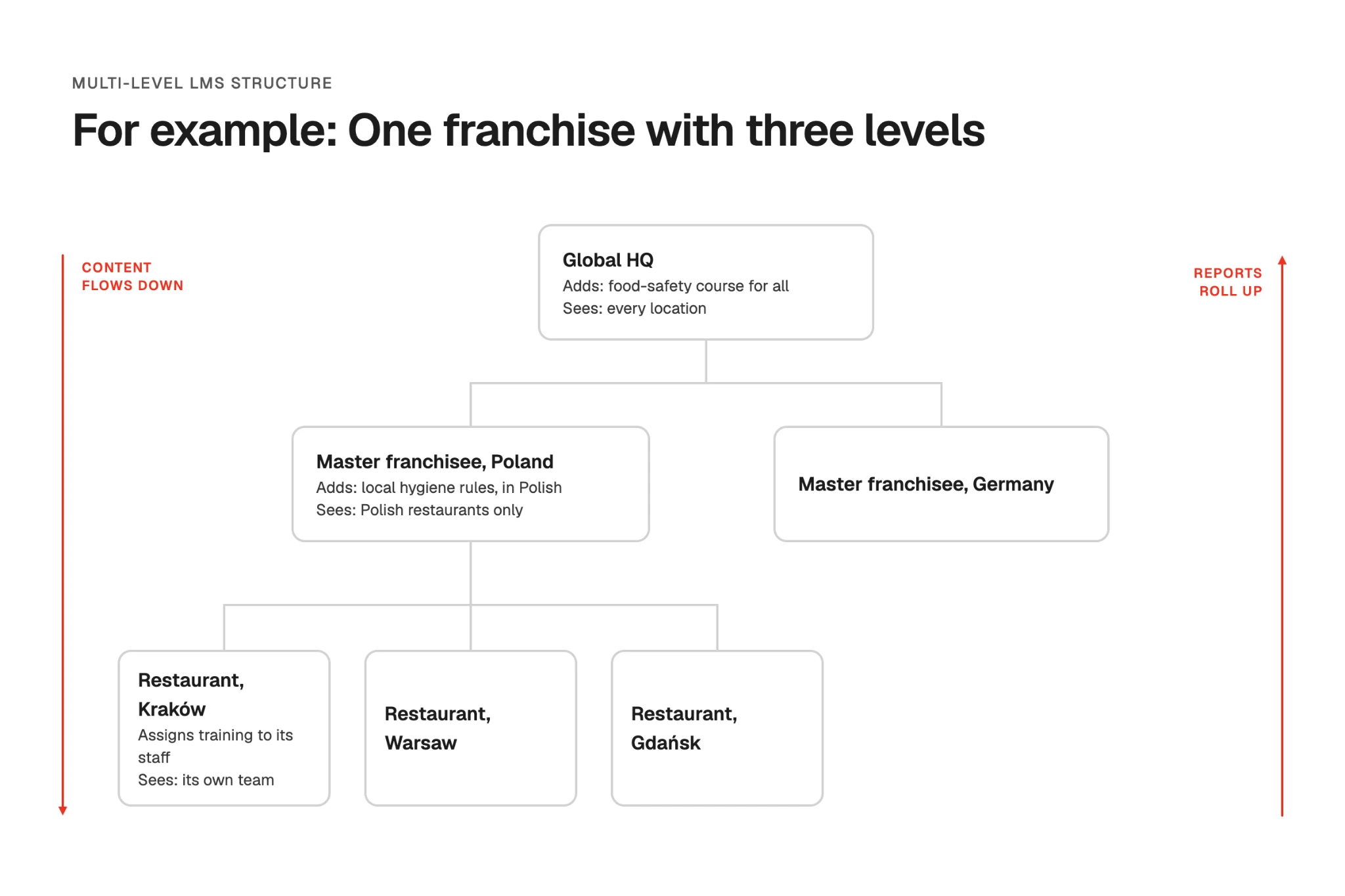
Why it’s hard to cover out of the box: Most LMSs are built around two levels: a main portal and the sub-portals under it. LearnUpon’s main portal licenses courses to its sub-portals and reports across them, and TalentLMS splits a portal into branches with their own admins. Each extra level multiplies the work. Every action needs a permission check at every level, from who sees which report to who can assign which course. Content from HQ has to flow down without overwriting what each region adds. On top of that, no two organizations are structured alike. A franchise needs different levels and reports than an association with regional chapters, so one structure can’t fit both.
Docebo comes closest with nested branches, but one admin noted that Docebo’s own documentation advises against niche branches and groups, which “can become cumbersome and tedious to manage.”
Specialized content: VR, WebGL, simulations, games
What teams ask for: An LMS that runs and tracks content beyond standard courses and videos. One of our clients builds VR safety training for production and manufacturing sites and sells it to other companies. Not every learner has a headset, so each lesson comes in several versions, including VR and a 360° version for PC. Finishing any one of them should complete the lesson.
Why it’s hard to cover out of the box: Most LMSs are built around SCORM and xAPI packages that run in a browser. A VR app runs on a headset, outside the browser, so VR providers work around the LMS. Warp VR, for example, uploads a SCORM launcher that gives the learner a six-digit code to enter on the headset, and the final score is sent back to the LMS.
Connecting a VR app to the LMS directly is harder. One Docebo admin described testing OAuth settings, URLs, and a custom Docebo Connect recipe to get a Unity VR app sending xAPI data, and was still stuck on an authorization error. Every VR app and simulation tool reports results its own way, and only a small share of customers use them. So vendors leave this to the content providers.
So what teams do instead of waiting for the roadmap?
We see teams taking one of these four paths.
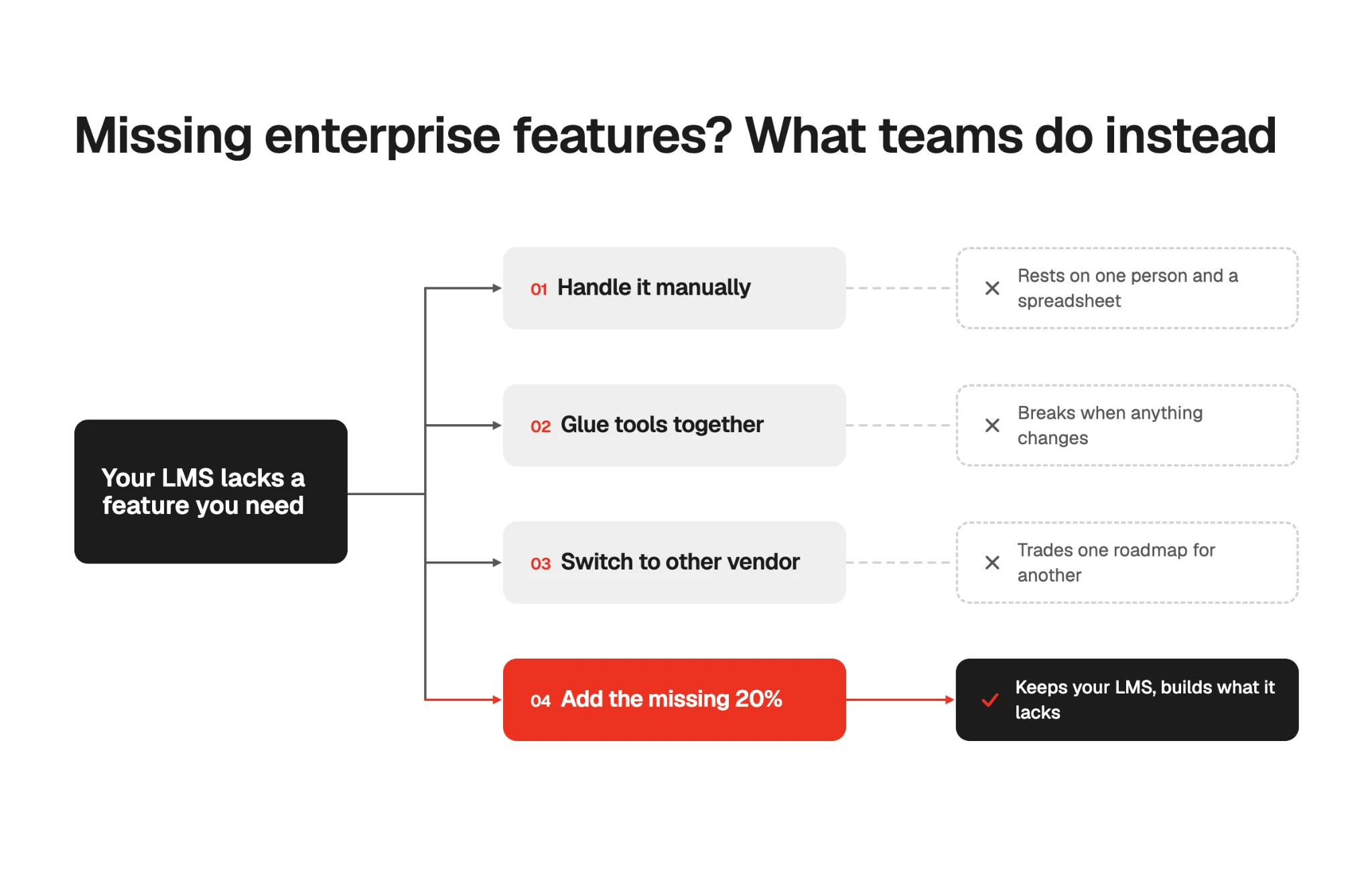
Do it by hand. A UK education company we spoke with keeps its face-to-face training records in Excel, and one coordinator chases every completion and renewal. A UK manufacturer relies on a spreadsheet set up to prompt the team 90, 60 and 30 days before each licence expires. It works, as long as the person in charge of the spreadsheet stays on top of it. But when the headcount grows or an auditor asks for the full training record… you probably know how that goes.
Glue tools together. Another team, a US online-learning business, runs on WordPress, LearnDash, AWS video hosting, and Zoom, all connected through plugins and “held by Scotch tape.” Bots and malware got into the site through its plugins, and at one point the site was down for two weeks. Now the team avoids changing anything, in case the whole thing breaks. The same happens with popular, well-supported tools. One user on Reddit’s r/elearning shared that their setup relies on a Zapier automation from Salesforce that “can often break.”
Move to another platform. The UK contractor we mentioned earlier left TalentLMS for an HR suite with built-in learning, mainly to connect training with performance management. Soon after they signed, the vendor withdrew the mobile app it had promised. The team also found the automation clunky and had to convert 100+ PowerPoints into SCORM themselves.
Note: Other teams switch to a custom platform they own, too. Cyber Inc did, and cut its LMS-related costs by 68% compared with off-the-shelf options. Owning makes the most sense when the gaps keep piling up and per-user fees grow with your headcount. If you’re curious where that tipping point sits for you, our SaaS vs. custom LMS cost calculator compares the two over time
Extend the LMS. You keep the LMS that works and add only what it’s missing. Or as one healthcare training provider told us, you “don’t get rid of a LMS, but make it a little bit more sophisticated.” That’s the route William Fry took. Its CPD compliance layer started from Academy Smart’s ready-made CPD foundation, about 80% of the final platform, so the two months of work went into the 20% specific to the firm: CPD rules by seniority and category, and pro-rated targets for people who join mid-year or work part-time. Teachers of Tomorrow took the same route at a larger scale. They got a custom portal built around LearnUpon and moved 25,000+ learners to it without disrupting their training.
If you’d rather keep your LMS than replace it, and you’re tired of waiting on the vendor’s roadmap, extending it is the middle path.
Is your SaaS LMS worth extending?
It depends on how much of your LMS still works for you. If your team is happy with the platform day to day and you’re missing one or two features, like CPD tracking or a sync with your HR system, extending is the quicker and cheaper fix. If your team needs most of the six features above and gets by on workarounds, it’s time to check whether your LMS is still the right fit.
If you’d like a second opinion, feel free to contact us for Academy Smart’s free LMS usability and tech audit. This is where you walk us through your current setup and requirements, and we tell you what can be fixed and how. You get a list of your feature gaps, an assessment of how your LMS connects to the rest of your systems, and an answer on whether to extend your current LMS or move off it.
This way, instead of forwarding the vendor’s “added to our ideas portal” reply, you can bring your leadership a plan: what’s missing from your learning platform and what it will take to fix.